
How to find the song in an Instagram Reel
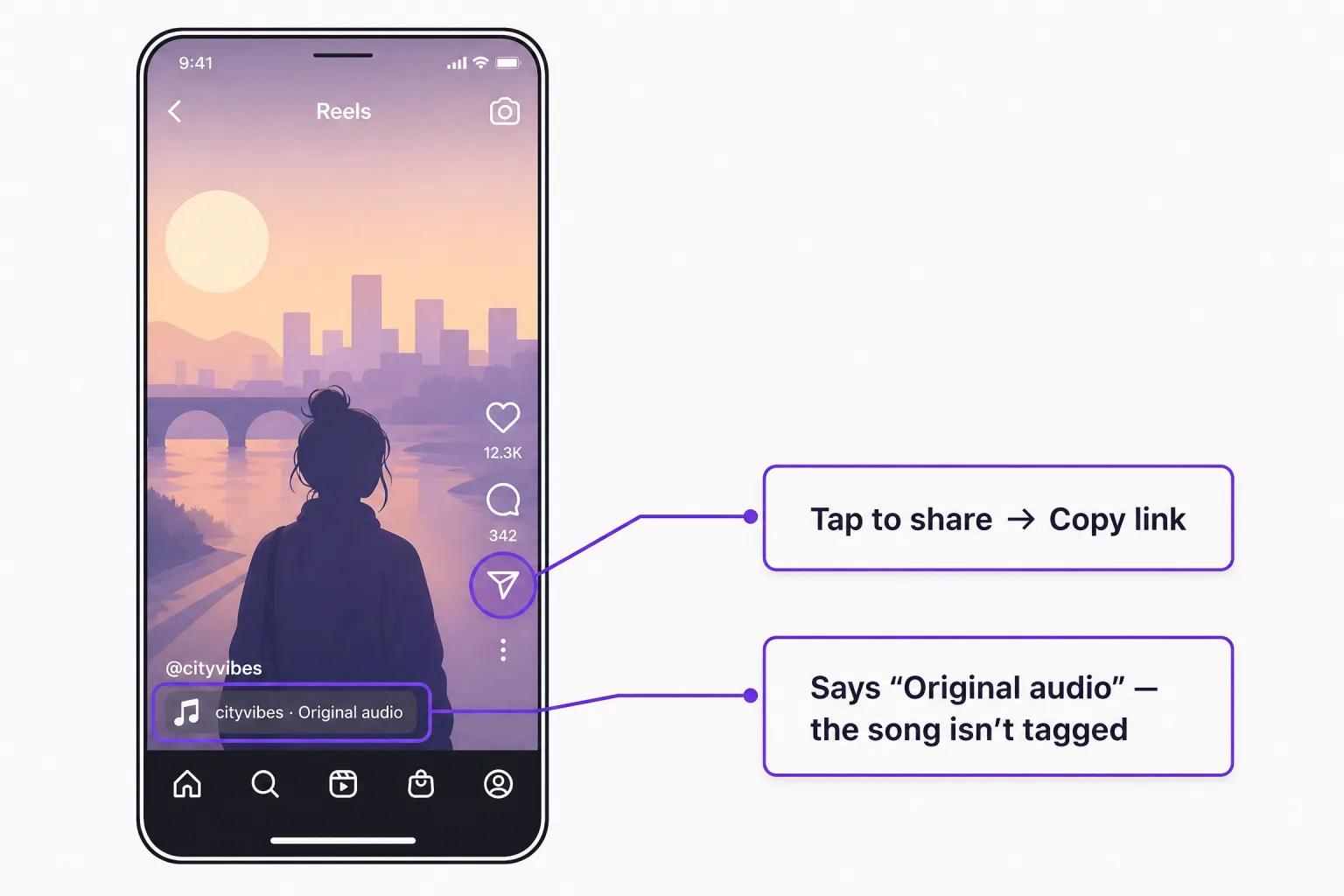
Tap the audio label at the bottom of the Reel first. If the creator picked the track from Instagram's music library, its name is right there. If it says “Original audio”, the song isn't tagged, but it's still in the sound. Paste the Reel's link below and we'll identify it from the audio in about 5–20 seconds.
1. Tap the audio label
At the bottom of a Reel, next to the music note, a scrolling line names the audio. If the creator added a song from Instagram's music library, it shows the artist and the song title. Tap it to open the audio page, where you can save the audio or see other Reels that use it.
Why it says “Original audio”
When the music came with the uploaded video, Instagram labels the sound “Original audio” with the creator's name instead of a song title. That happens when the song was edited in before posting, or was playing in the room while they filmed. The audio page then only tells you who posted it first.
2. Check the caption and the comments
Creators often credit the song in the caption. On a popular Reel, someone has usually asked “song?” in the comments and someone else has answered. Play the song they name before you trust it, because wrong guesses are common.
3. Let Shazam listen
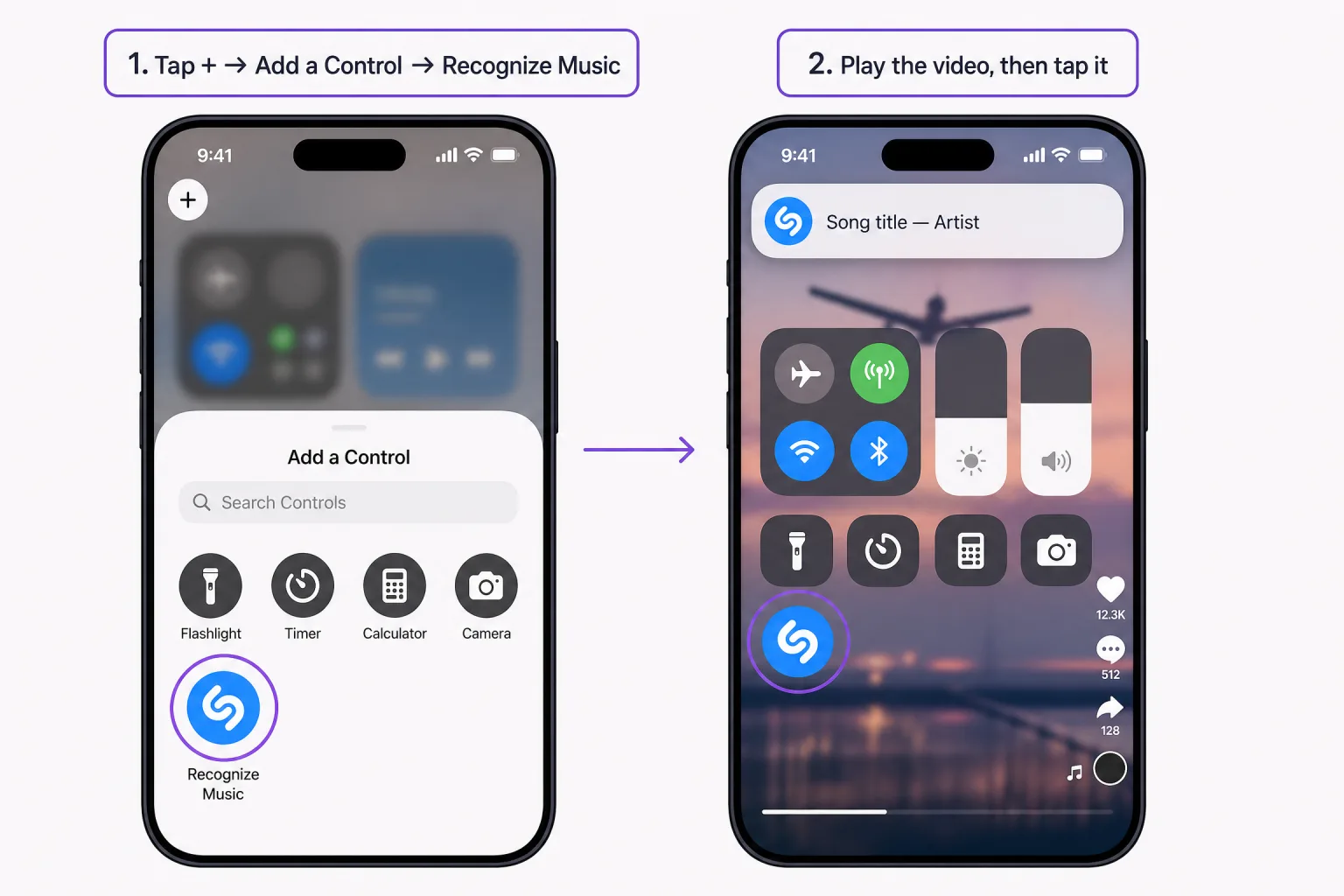
Shazam on a second phone can listen to the Reel while it plays. On an iPhone you don't need a second phone: Control Center has a Recognize Music button (the Shazam “S” icon) that names a song playing in another app on the same phone, even with headphones on. If it isn't there yet, add it once: open Control Center, tap + at the top left, then Add a Control, and pick Recognize Music. Then play the Reel, open Control Center and tap it. On recent Android phones, Circle to Search does the same: touch and hold the navigation bar or home button, then tap the music note.
This works best when the music is loud and nobody talks over it for a few seconds.
4. Paste the Reel's link into a song finder
ClipMelody fetches the Reel from its link and listens to its audio, so the “Original audio” label doesn't get in the way.
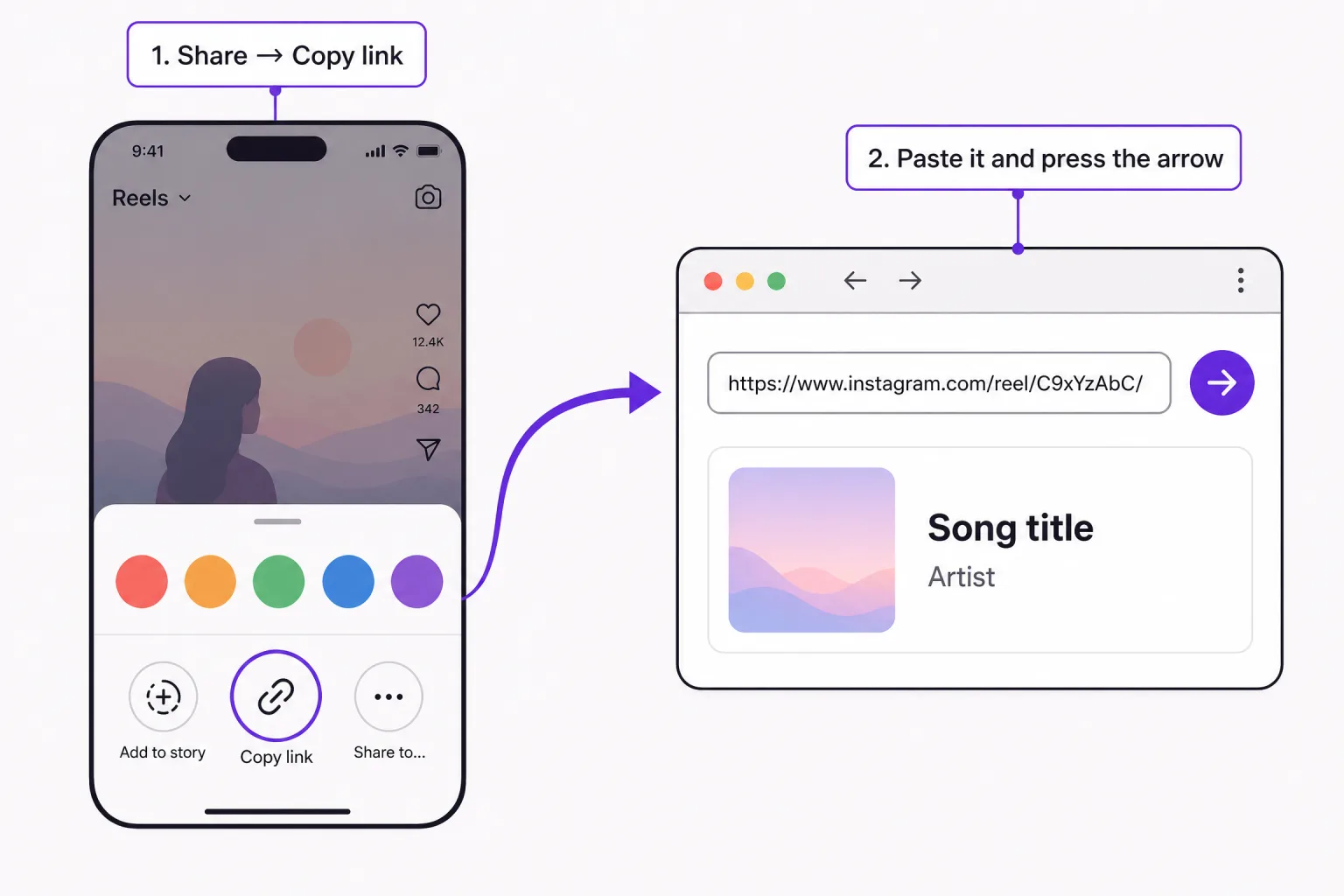
- On the Reel, tap the paper-plane icon or the ⋯ menu, then Copy link. On a computer, copy the address from your browser.
- Paste it into the box on this page, or on the Instagram song finder, and press the arrow. Links to /reel/, /reels/ and /p/ posts all work.
- You get the title, artist, album and cover, a short preview, and links to open the song on Spotify, Apple Music or YouTube.
We listen to 12 seconds from the start. On anything longer than about half a minute we also try a slice from the middle, so a talking intro doesn't stop it. In a post with several slides, we listen to the first video. Finding the song is free; seeing its name uses one credit.
Private accounts and Stories
We can only read public posts, and Stories can't be linked to publicly. For a Reel from a private account, or a Story, screen-record it while the song plays and upload the recording instead. Video files can be up to 50 MB, audio up to 25 MB. Start the recording while the music is already playing, because we listen from the beginning.
When the song can't be found
- It was never released. A sound made for the Reel, or a snippet posted before release, has no recording to match. Check the creator's profile for a release date.
- Talking covers the music. Open the audio page and try another Reel that uses the same sound. Some have less voice-over on top.
- It's a heavy edit. Sped-up, slowed and lightly remixed versions usually match the original recording. Heavily pitched or mashed-up edits can fail.
- It's humming, a cover or a live version. Audio fingerprinting matches recorded music, so these usually won't match.
When nothing is found, no credit is used.